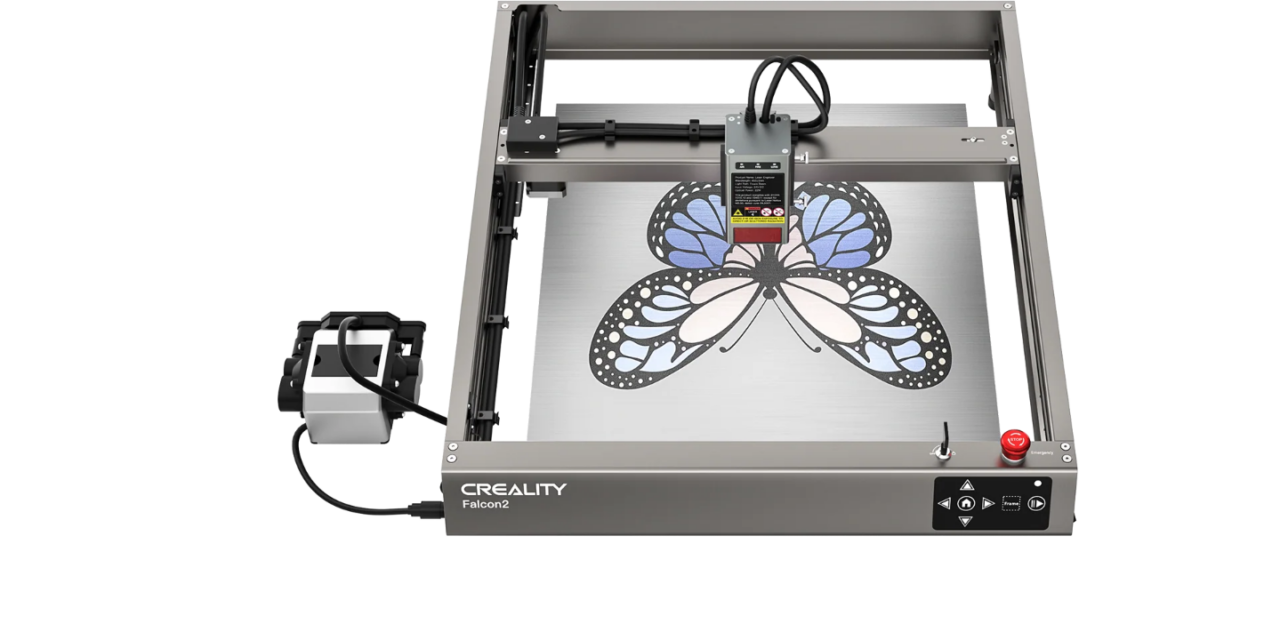
Presenting the Creality Falcon 2, a higher powered laser engraver/cutting machine for all your laser needs. This newer machine packs in 22W and has an air assist module to help reduce burning on your projects.
It arrived fully assembled, which is great so I don’t have to guess the right tension for all the bolts and screws. Lots of padding, which is usual for Creality, making sure all is snug while shipping.
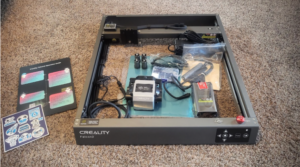
Once all is unpacked, we find:
- The machine, all put together
- Extra leg risers for higher engraving
- The air assist module
- Protective eyewear
- Tool kit containing extra hardware, height gauge and safety keys
- Protective METAL plate
- Sample materials
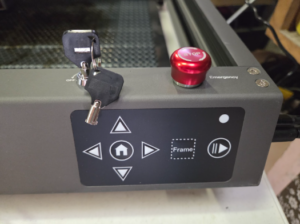
Upon first impressions, the 22W seems hefty, a bit more solid than its predecessor, and more security features built in for safety. There are 3 steps to make sure the device is in ready mode. There is the basic power switch, the emergency stop button, and the key switch.
The power switch is on the side where the cables plug in. The emergency stop button and key switch are next to each other, just above the control panel. The big red button is very easily depressed and there were some times I was not aware it was activated and could not figure out why the machine would not turn on. Very good for safety, not so much my sanity. I can’t say I want it any less easy to stop in an emergency but it might have been a little too easy for day-to-day operations.
Another new addition to this device is the Air Assist module. While blowing a continuous stream of air, it helps clear smoke and debris to ensure the design comes out clear and detailed. It does emit a low hum and has a slight vibration, but as long it’s on a steady table, it should go unnoticed.
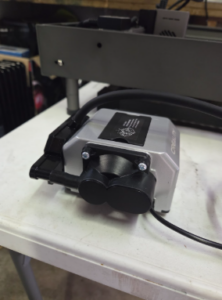
The laser head is one solid piece secured by two thumbscrews, so it can be easily adjusted, yet held in place firmly. It has a monitoring system for the airflow, the lens health, and it should even detect if flames appear, shutting it down.
As with the previous review, we are going to start with a small engraving and cutting. Creality is constantly updating their design space, which adds quality of life updates such as which plate or rotary tool you are using to hold your material.
We’ll go ahead and create our favorite logo and compare it with the one made with the Falcon 10W machine using the same pre-loaded settings for basswood. The brightness of the laser is protected by the orange screen, and we can watch how fast this laser moves, engraving the design. The projected time it will take to complete the task is still not quite accurate, however it is usually only a few minutes difference.
Below is the comparison to the Falcon 10W and Falcon 22W. You will see far less burning and smoked edges around the engraving and cut lines. The inside of the engraving is also lighter, meaning there was less heat involved.
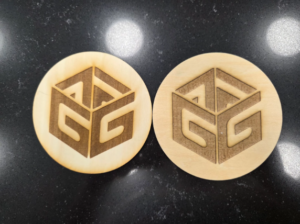
It is clear that the Falcon 22W has a cleaner outcome with the higher power laser and the Air Assist, however both machines are wonderful pieces of equipment, and neither have been a let down.
Beyond making your existing cuts and engravings better, the Falcon 2 gives you capabilities that the Falcon 1 simply can’t.
- Color engraving on different metals, link to the how-to page
- Lockable safety measures for any environment
- Deeper cuts per pass for more granular prints or faster prints
For those looking at other more enclosed models, check out the Falcon A1.