

Remember the golden era of the internet when 15GB of free Google storage felt like an infinite digital warehouse? Yeah, those days are over. For years, Google has been slowly but surely cracking down on what actually counts toward that complimentary 15GB cap, making us all painfully aware of our digital hoarding habits. The latest casualty in the war on free space? Your Android phone backups. If you thought your texts, call logs, and device settings were flying under the radar, think again. Google’s new backup policy is here, and it’s coming for your cloud storage limit.
The Cloud is Getting Crowded
Here is the skinny: if you own an Android phone and have the device backup feature turned on (which you absolutely should, unless you enjoy losing your mind every time you upgrade phones), your storage quota is about to take a hit. In the past, Google gave us a bit of a free pass. Only your Google Photos uploads and chunky MMS messages (like those blurry videos from your uncle) counted against your shared storage limit. But a recent policy change means the free ride is officially over.
Now, the actual text of your SMS messages, your exhaustive call history, and all those meticulously customized device and app settings will draw directly from your Google Account storage limit alongside Gmail, Google Drive, and Photos. While Google expects this to only add about 40MB of data on average, anyone already hovering at 14.9GB of their free tier is going to feel the squeeze. Simply put, if your phone backups are enabled, you are impacted by this change.
Time for Some Digital Spring Cleaning
If this news has you sweating over an impending “Storage Full” notification, don’t panic. You have options. As part of this change, Google is finally giving users more granular control over exactly what gets saved to the cloud. Instead of an all-or-nothing backup, you can now toggle specific categories on or off.
Head into your Android device’s backup settings, and you can manually opt-out of backing up things like SMS/MMS, call history, or device settings. Don’t care who called you three months ago? Flip the switch and save those precious megabytes.
If tweaking your backup settings isn’t enough, it is time to embrace the Storage Manager tool. Built right into your Google Account, this handy feature acts as your personal digital Marie Kondo. It will quickly identify your largest files, ancient email attachments, and blurry photos that bring you zero joy, making it incredibly easy to clear up space and dodge the storage cap.
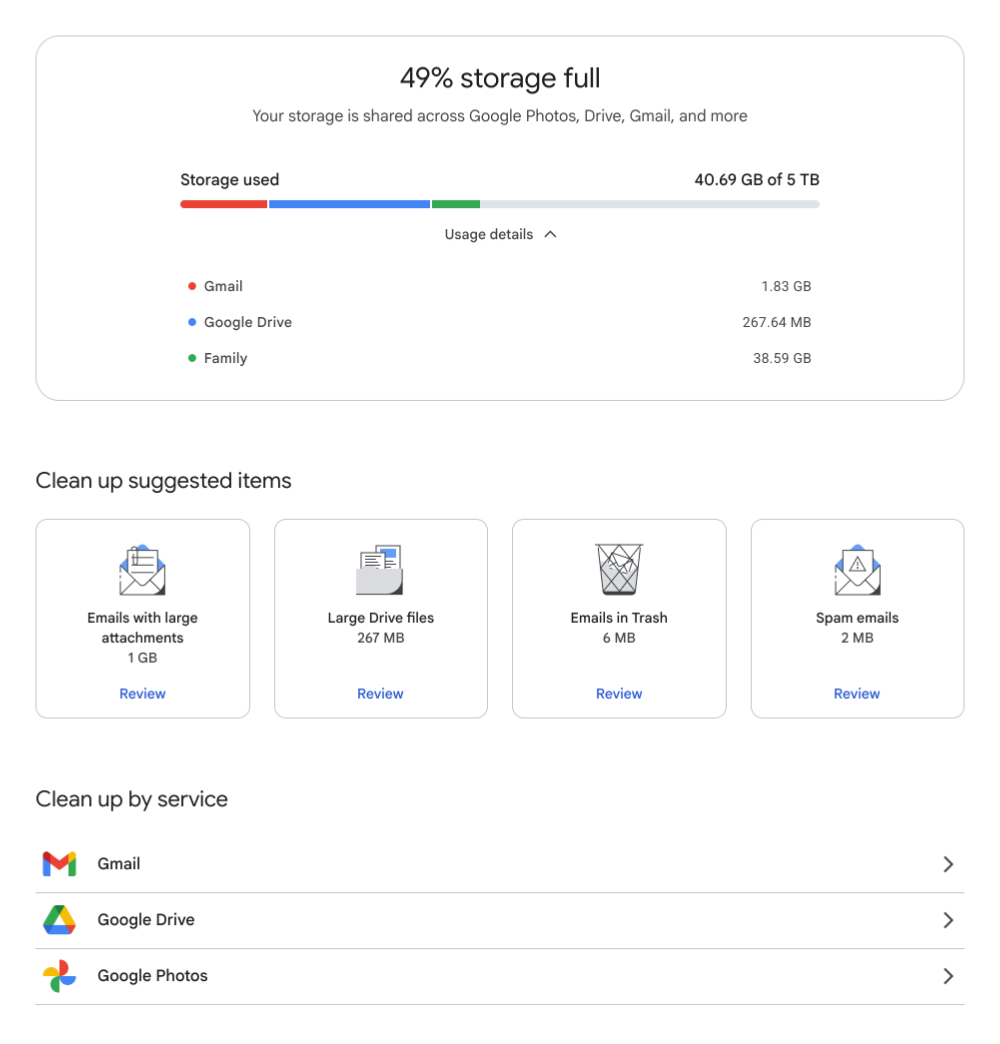
The storage manager tool lets you pinpoint data hogs in your Google account
Upgrading Without Breaking the Bank
Sometimes, no amount of deleting can save you. You simply need more space, which means ponying up for a Google One storage plan. But before you surrender your hard-earned cash, let’s talk about a neat little loophole: Google Opinion Rewards.
If you aren’t familiar, this app pays you in Google Play credit for answering remarkably brief surveys about your shopping habits, YouTube viewing history, or recent locations. Yes, you are trading a tiny slice of your data for cash, but you’re using an Android phone, so we assume you’ve already made your peace with that.
By consistently answering these quick polls, you can easily rack up enough Play Store credit to cover the monthly cost of a basic 100GB Google One plan. You get a massive storage upgrade, your Android backups stay safe and sound, and your actual bank account remains untouched. It’s a win-win-win.