
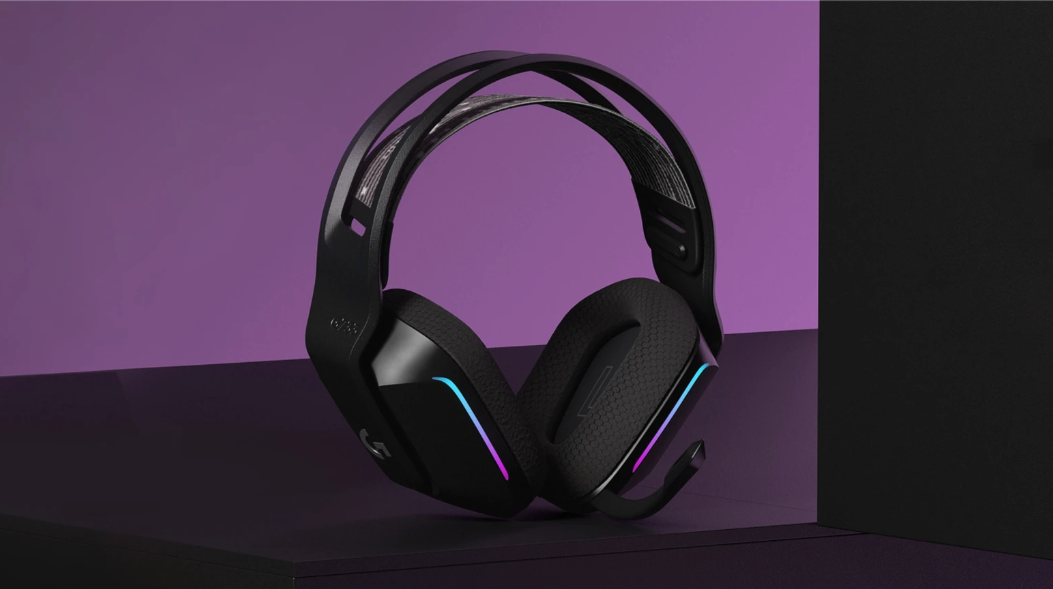
The strait forward hardware
- Wireless (Lightspeed 2.4 GHz) — low‑latency connection designed for gaming
- Battery life: up to 29 hours depending on lighting and usage
- Weight: ~278 g (9.81 oz), very lightweight for long sessions
- Drivers: 40 mm PRO‑G audio drivers
- Microphone: detachable or built‑in depending on model variant; supports Blue VO!CE
- Range: up to 20 meters
- Ear cushions: dual‑layer memory foam
Setup & Software Experience
The G733 is one of those headsets that feels intentionally designed to be painless from the moment you unbox it. Setup is essentially plug‑and‑play: connect the Lightspeed USB receiver, power on the headset, and you’re done.
If you already use Logitech hardware, the experience gets even smoother. G HUB immediately detects the G733, loads your existing device ecosystem, and makes the headset ready to use without any extra configuration. Your lighting profiles, equalizer presets, and microphone settings all sit in one familiar interface, which makes the G733 feel like a natural extension of the Logitech lineup.
Blue VO!CE: Noticeably Better Clarity
One of the standout features is Blue VO!CE, Logitech’s real‑time microphone processing suite. It adds compression, noise reduction, and EQ shaping. In practice, this means:
- Your voice cuts through background noise more clearly
- You sound more consistent in volume
- People on the other end hear a more “broadcast‑like” tone
In everyday use—Discord chats, work calls, gaming—Blue VO!CE genuinely improves clarity and makes communication feel more polished. It’s one of the biggest reasons the G733’s mic performs above what you’d expect from a lightweight wireless headset.
The Biggest Issue: The Rear Programmable Button
For all the strengths of the G733, one design choice stands out as a persistent frustration: the programmable button on the back of the headset.
Because the microphone sits in a fixed position, the natural way to set it down tends to press that rear button almost every time. Out of the box, that button’s default function is mute.
This led to an annoying problem: I found myself muted in multiple conversations without realizing why. It wasn’t until several confused exchanges later that I discovered I was accidentally pressing the mute button every time I set the headset down.
I remapping the button to tell me the battery life but, the button is still essentially useless.
Final Thoughts
The Logitech G733 is a comfortable wireless headset with excellent software integration and a legitimately impressive microphone thanks to Blue VO!CE. It’s easy to set up, plays perfectly with other Logitech gear, and delivers strong audio performance for gaming and general use.
Unlike other recent headsets we have reviewed, this can be worn for hours without any ear fatigue which makes for a more comfortable work day or play session.
But that rear programmable button? It’s a surprisingly disruptive oversight—one that can cause real confusion until you realize what’s happening.