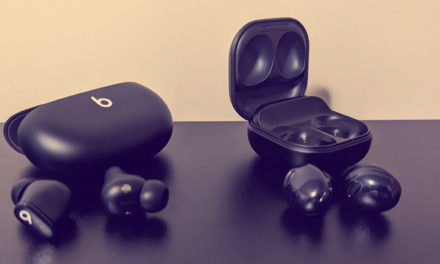
Creative Aurvana Ace is a true wireless in-ear headphone built with xMEMS solid-state silicon drivers, hybrid active noise cancellation (ANC), aptX Adaptive, Bluetooth LE Audio, and SXFI technology.
My experience with the headphones
I’ve enjoyed using the Creative Aurvana Ace Bluetooth earbuds.
The xMEMS technology was the main reason I bought them, and I think they offer good value for the price.
There is an option companion app (Creative app) which lets you adjust the equalizer and ambient sound settings, the app is not mandatory the device is pre loaded with “out of the box” button configuration. You do need the app to update the firmware of the device.
In the app, you can switch active noise cancellation (ANC) on or off and choose a low, medium, or high ambient sound level.
The app offers basic touch controls: double-tap, triple-tap, and long press. You can assign actions to either (left or right) earbud, including toggling ambient mode, playing or pausing music, activating the voice assistant, skipping to the next track, and adjusting the volume.
As someone with hearing difficulties, I find that a high ANC setting helps me hear my surroundings more clearly.
At a metal concert, I found the limited noise cancellation useful: it softened the loud music without blocking it completely. Adjusting ANC and ambient mode let me control how much sound came through, making the music feel more comfortable to listen to. It truly enhanced the concert for me and allowed me to leave the concert without any earing discomfort.
The Pros
- Clear High Notes & Fine Details: The xMEMS speaker technology helps the earbuds reproduce quick changes in sound clearly and keeps individual instruments easy to hear. High notes, cymbals, and subtle acoustic details sound especially crisp.
- Strong Codec Support: Since the headphones support aptX Adaptive and LC3 / LE Audio in addition to standard AAC and SBC, this provides for low-latency gaming and high-resolution streaming on compatible devices (see Compatibility section)
- Premium Charging Options: The charging case supports both USB-C and Qi wireless charging, which is nice bonus since this feature usually appears on more pricey units.
The Cons
- No Smart Wear Detection: The earbuds lack proximity sensors, meaning your music will not automatically pause when you pull an earbud out of your ear.
- Not great Low-frquency Active Noise Cancellation: even though the device features Hybrid ANC, it struggles with low-frequency engine rumbles (like airplane noise) and doesn’t damp external sounds as effectively as similarly priced competitors. (however, I used this to my benefit when I used them at a concert).
- Limited Touch Control Customization: The companion smartphone app restricts control mapping; for instance, it lacks single-press control options to prevent accidental touches, making gesture controls slightly frustrating to deal with.
Core Specifications & Features
- Driver System: xMEMS silicon micro-speaker paired with a custom 10mm dynamic driver per earbud.
- Noise Control: Hybrid Active Noise Cancellation (ANC) alongside an Ambient / Transparency mode.
- Durability: IPX5 water resistance for the earbuds.
- Playtime on a Charge
- ANC Off- upto 6 hours.
- ANC On- upto 4 hours.
- With case – Upto 24 hours.
Compatibility section
Because iPhones use AAC rather than Bluetooth LE Audio / LC3, these advanced formats require a compatible Android device.
To take advantage of the aptX Adaptive, use a device with Qualcomm Snapdragon processor.
Some Examples of these devices:
Samsung: The Galaxy S26 Ultra, Galaxy S25 Edge, S24 Ultra, and S23 Ultra.
Motorola: The Moto Edge series (Edge 50, 60, and 70 series), ThinkPhone, and the Fold Razrs( 40, 50 and 2026 Razr Plus).
Asus: Zenfone 9, 10, 11 Ultra, 12 Ultra, and the ASUS ROG Phone 6 – 9 series.
Xiaomi: Xiaomi 14, 15,17.
OnePlus: 11,12 AND 13
Sony: Sony Xperia 1 and 5 (Generations IV and V)
Example of Phones Supporting Bluetooth LE Audio & LC3
LE Audio and the LC3 codec are part of modern Android core architecture. your device must be running Android 13 or newer and have hardware support enabled by the manufacturer.
- Google Pixel: The Google Pixel 7, 8, 9, 10, and 11.
- Samsung Galaxy: Galaxy S23, S24, S25, and S26 series, along with the Z Fold and Z Flip.
- OnePlus: 11,12, and 13 running the latest software.
How to Verify Your Phone
You can check if your phone will support these codecs, you can unlock your phone’s hidden Developer Options:
- Go to Settings > About Phone.
- Tap Build Number 7 times until it says you are a developer.
- Go back to system settings, open Developer Options, and scroll down to Bluetooth Audio Codec.
- If aptX Adaptive or LC3 are listed and selectable your phone is fully compatible.