The $500 Plastic Toy
The wait is finally over. You’ve braved the scalpers, refreshed the store pages until your F5 key begged for mercy, and now it’s here: the Nintendo Switch 2. It’s glorious. The colors are punchier, the kickstand doesn’t feel like it was made from a discarded popsicle stick, and the raw power means you can finally play Mario in a resolution that doesn’t involve counting the individual pixels on his mustache. You’re ready to dive in, but before you slide those Joy-Cons into place, we need to have a serious, high-stakes intervention about that beautiful new display.
Right now, your Switch 2 is in its most vulnerable state. It’s like a newborn gazelle on the digital savannah, and the lions are everywhere—specifically, in the form of dust, fingernails, and the rough interior of your docking station. Why? Because underneath that vibrant panel lies Nintendo’s favorite controversial design choice: a plastic screen.
Safety First, Durability Last
You might be wondering why, in the year of our lord 2026, a premium electronic device is using plastic instead of the hardened Gorilla Glass found on your phone. The answer is classic Nintendo: safety. Nintendo designs its consoles with the knowledge that a non-zero percentage of their users are toddlers who view hardware as both a frisbee and a snack. If a glass screen shatters, it creates a mosaic of tiny, razor-sharp shards. If a plastic screen “breaks,” it mostly just dents or cracks without turning into a safety hazard. It’s a noble goal, but it comes with a trade-off that will make any tech enthusiast weep.
While plastic is shatter-proof, it is decidedly not scratch-proof. In fact, on the Mohs scale of mineral hardness, the Switch 2 screen is roughly equivalent to a block of medium-firm cheddar. It is a literal scratch magnet. Even a slightly over-enthusiastic cleaning with a microfiber cloth that has a single stray grain of sand can leave a permanent, soul-crushing streak across your screen.
The Docking Disaster
The biggest villain in this story isn’t your cat or your keys—it’s the dock itself. The act of sliding the console into its charging home is a high-wire act of friction. If you don’t align it with the precision of a NASA docking maneuver, the plastic rails of the dock will happily leave two vertical “scuff stripes” on the bezel of your screen. It’s a design flaw that has persisted since the original Switch, and with the Switch 2’s plastic outer layer, the stakes are even higher. Without protection, your “pristine” console will look like it survived a tumble down a gravel hill within a month of ownership.
The Verdict: Buy the Glass
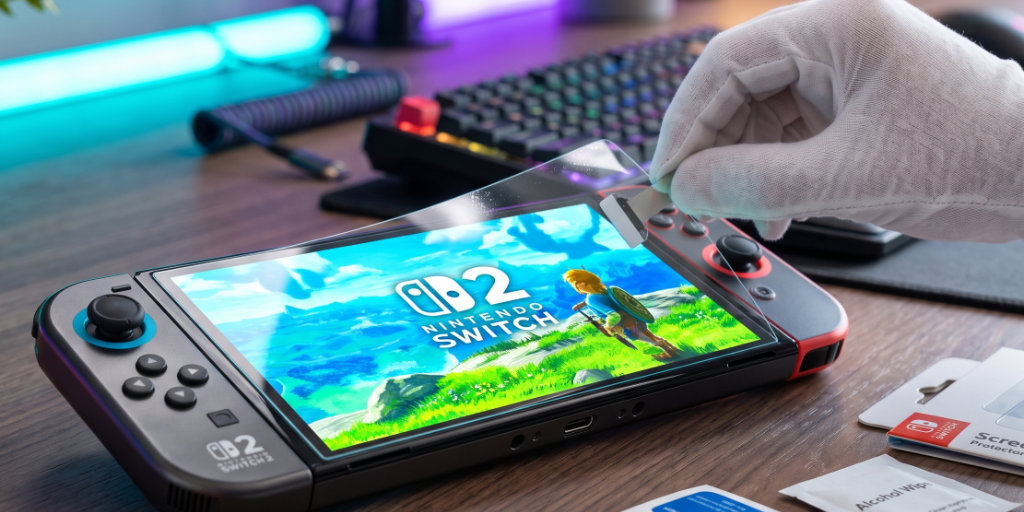
The solution is so simple and cheap it’s almost offensive: buy a tempered glass screen protector. For about ten bucks, you can apply a layer of actual, honest-to-goodness glass over Nintendo’s plastic compromise. Not only does it feel better under your thumb, but it also gives the console the scratch resistance it should have had from the factory.
Think of it as an insurance policy for your sanity. If you scratch the screen protector, you peel it off and spend another few dollars. If you scratch the actual display, you’re stuck looking at that blemish every time you try to save the kingdom of Hyrule. So, put down the controller, head to your favorite online retailer, and get that glass on there. Your future, non-range-filled self will thank you. Now, go play some games—safely.