
Hyperkin has carved out a niche as a manufacturer that delivers function-first gaming hardware at prices that don’t make you hesitate. Two of their most interesting offerings—the Hyperkin Competitor and the Hyperkin Pixel Art Bluetooth controller—show exactly why the company continues to resonate with gamers who want solid performance without paying premium-brand markups.
While these controllers target different audiences, they share a common philosophy: give players reliable hardware, broad compatibility, and respectable build quality at a price that feels fair.
The Hyperkin Competitor: A Pro‑Grade Controller Without the Pro‑Grade Price
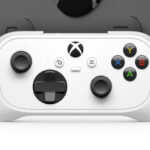
The Competitor is Hyperkin’s attempt at a precision‑focused controller for Xbox and PC gamers. It’s officially licensed for Xbox Series X|S, Xbox One, and Windows PCs, and typically sells around $49–$50.
Hardware & Capabilities
- Wired connection for zero‑latency input and consistent performance (supported across Xbox consoles and PC)
- Precision-engineered controls designed for competitive play
- Full Xbox button layout, including share/menu buttons
- Durable shell and responsive triggers aimed at long-term reliability
The Competitor’s design leans toward a slightly more angular, “pro-style” aesthetic. It’s not flashy, but it’s clean, sturdy, and familiar. The ergonomics mimic the general Xbox controller shape, making it comfortable for long sessions without introducing any odd grip angles or gimmicks.

The Hyperkin Pixel Art: Retro Charm Meets Modern Connectivity
The Pixel Art Bluetooth controller is a very different beast. It’s a compact, retro-inspired pad designed for Nintendo Switch, Windows 10/11 PCs, Mac, Android, and iOS
Hardware & Capabilities
- Bluetooth wireless connectivity for phones, PCs, tablets, and consoles
- Switch compatibility, including modern Switch/Switch OLED support
- Lightweight build (6.6 oz) for portability
- Full button set, including shoulder buttons and modern function buttons
- Retro pixel-art aesthetic that stands out visually
- Multi-platform support without complicated pairing sequences
The Pixel Art’s biggest strength is how effortless it is to switch devices. Hold the mode button, tap the pairing toggle, and you’re instantly connected to a phone or PC. Switch mode is equally quick. For players who emulate, cloud game, or play across multiple platforms, this controller’s convenience is hard to beat.
Design & Comfort
The Pixel Art is intentionally compact, with a flat, retro-style profile. That design gives it charm—but also limits long-term comfort. It’s perfectly fine for an hour or two of play, but marathon sessions will remind you that this is a lightweight, travel-friendly controller rather than an ergonomic powerhouse.
Still, the buttons are snappy, the D-pad is responsive, and the build quality feels better than you’d expect for it’s size and casual fun themes.
For what they offer, multi-platform support, solid build quality, reliable connectivity, and official licensing, the pricing is more than fair. The Competitor competes with mid-range Xbox controllers without trying to charge elite-controller prices. The Pixel Art sits comfortably in the budget wireless category while offering better compatibility and faster device switching than many controllers twice its cost.
What next on the horizon for Hyperkin?
We finally come to our headliner image. Keeping with the Pixel idea of small form factors and fun licenses; Hyperkin has come up with the first blindbox controller.
Hardware & Capabilities
- Bluetooth wireless connectivity for phones, PCs, tablets, and consoles
- Switch compatibility, including modern Switch/Switch OLED support
- Full button set, including shoulder buttons and modern function buttons
- Retro pixel-art aesthetic that stands out visually
This next part gets a little strange so stick with me.
When playtime is over, the PixelByte transforms into a useful work tool. Change it to Productivity Mode and the PixelByte becomes a hybrid mouse/keyboard controller! Used to scroll through presentation slides, take a photo remotely on your phone, access hot keys on your PC, the list of possibilities is as endless as your imagination.
With the finger-sized loop and tactile silicone membrane buttons, company meetings are made just a little bit easier, as the PixelByte transforms into a trusted fidget toy.
With the gaming capability matching the rest of the Pixel Art series and adding the ability to have PC hotkeys, it is just better than the previous controllers. The blindbox adds a new flavor of fun to the experience. Attack on Titan isn’t my go-to IP, but there is a world of others that would get me to pick up 3-4 of these and just hide them around the home and office to make sure they were always in arms reach.
Good job Hyperkin, keep up the good work!