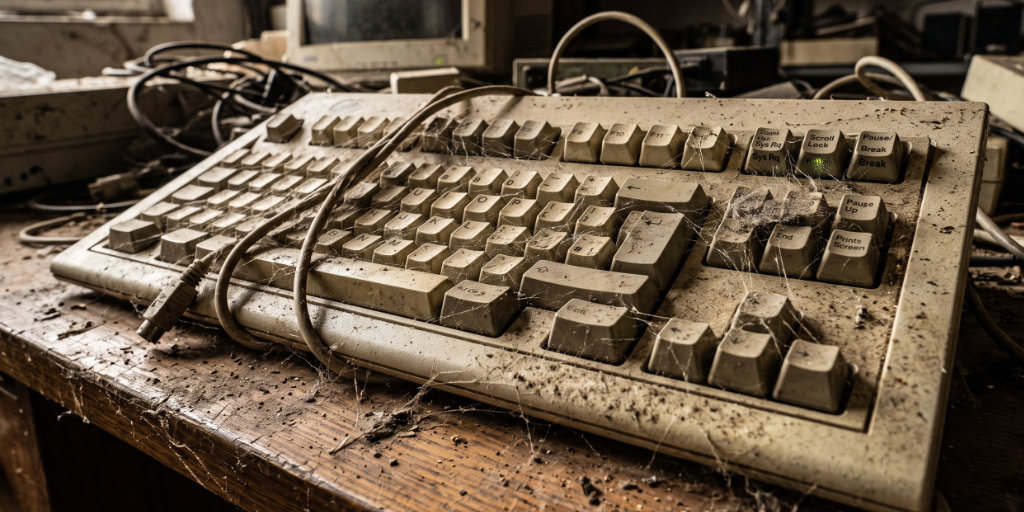
The PC keyboard as we know it can be traced back to the IBM Model M introduced in 1985. It was a masterpiece of industrial engineering, built to last longer than the heat death of the universe. But even though we’ve swapped out our beige towers for sleek glass smartphones and AI-driven interfaces, we’re still lugging around the keyboard layout of the Reagan era. Our boards are cluttered with “vestigial” keys—buttons that once served vital functions for 1980s professionals but are now just digital dead weight.
Let’s take a tour of the keyboard museum.
Scroll Lock
Originally, this key was designed for text-based interfaces where mice didn’t exist. Pressing it would lock the arrow keys so you could scroll the entire viewport instead of moving the cursor. Today, it serves no function in modern operating systems other than to turn on a random, confusing light on your keyboard that makes you panic and think your hardware is broken.
Num Lock
Back in the day, the number pad was used for both numbers and cursor control. You toggled between them to save space. Now, it’s the most frustrating button on the board—you accidentally hit it, your keypad turns into a weird, non-functional mess of directional arrows, and you spend three minutes wondering why your computer has forgotten how to math.
Insert
This key toggles between “Insert” mode and “Overwrite” mode. Its intended function was to let you replace text as you typed. In reality, it’s the “accidental destruction” button that ruins your document by deleting everything you’re trying to type over, usually at the worst possible moment.
Pause / Break
In the DOS era, this key was essential for halting programs that were running too fast to read. Today? Press it. Nothing happens. It is a monument to a world where we had to manually tell the computer to stop thinking.
SysRq
Short for “System Request.” It was originally meant to let users switch tasks or talk directly to the OS kernel. In modern Windows, it’s literally just a label printed on the Print Screen key. Nobody has used this for a “request” in thirty years.
Home / End
These keys were designed to instantly teleport your cursor to the start or end of a line of text. While they’re still useful for coders and power users, for the average person scrolling through social media, they are just accidental traps that jump you to the top of the webpage when you’re trying to type.
Menu
Added with Windows 95 to serve as a proxy for a right-click mouse action (for when you didn’t have a right-click). In the age of trackpads and precision mice, having a dedicated “right-click” button is as redundant as a spare tire for a submarine.
PgUp / PgDn
These were designed for rapid navigation through long, text-heavy command-line logs. In the era of the hyper-precise scroll wheel and touch-screen kinetic scrolling, they are essentially the “skip the content” buttons.
Most of F1 – F12
The function keys were meant to be the programmable shortcuts of the future. F1 is Help (nobody clicks it), F5 is Refresh, and the rest? They’re just macros that app developers stopped caring about in 1998. They are the digital equivalent of a “do not touch” display.